Rotate and Flip Your Screenshots
Adjusting the orientation of your screenshots can be crucial for various use cases. Whether you need to highlight specific details or present information in a different layout, flipping or rotating your screenshots can help you achieve the desired effect.
Need format guidance? See the PNG vs JPEG format guide and the website screenshot API for automation.
With Add Screenshots you can rotate or flip captures instantly while running high-volume jobs with no throttling, US, Europe, and Australia / Asia Pacific capture regions, and direct delivery to your storage or CDN.
Try Screenshot Rotation Free or Compare Plans
- Flexible orientation: Pair rotation and flip settings with scaling, quality controls, or element cleanup.
- Automation-ready: Save orientation options inside request templates, then trigger via schedules or webhooks.
- Direct delivery: Output oriented images to AWS S3, Azure, Google Cloud, or Cloudflare R2.
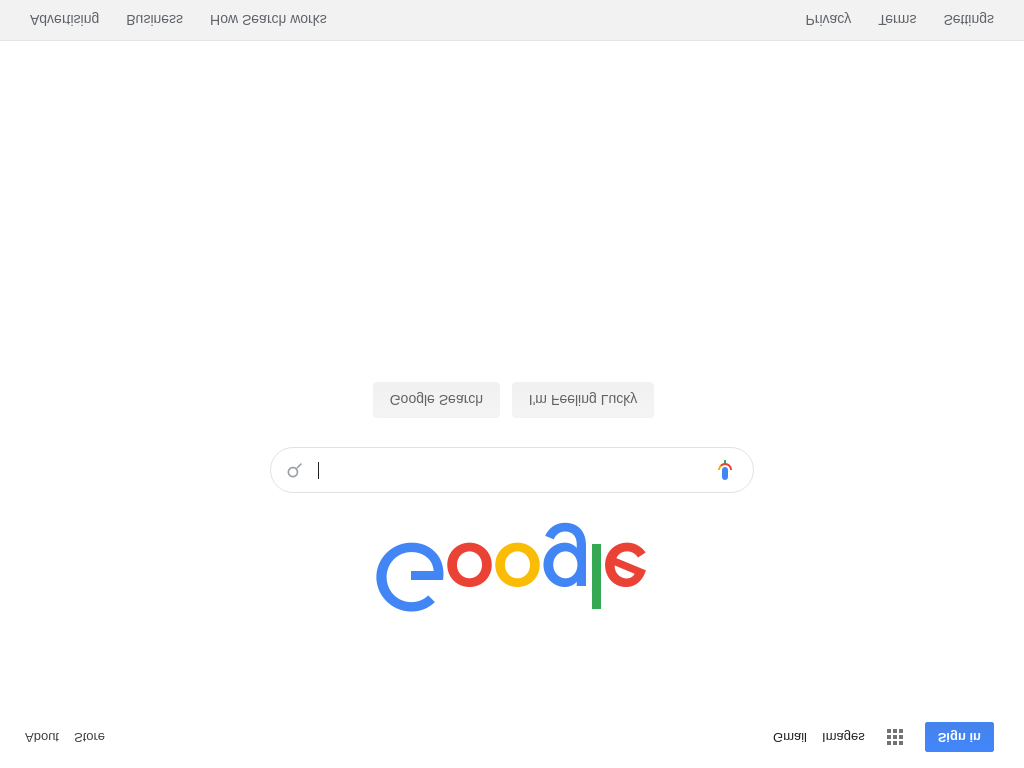
Flip Image Vertically
Flipping an image vertically can be useful for creating mirror effects, highlighting certain aspects of a design, or simply adjusting the orientation to fit your needs. The example below demonstrates how to flip an image vertically using our tool.
// Example API request to flip an image vertically https://api.addscreenshots.com/screenshots
?apikey=YOUR_API_KEY
&flip_vertical=true
&url=google.com
Your API key can be found on the API Keys page. Need an API Key? Sign up to get started.
For internal applications, replace YOUR_API_KEY with your own unique API Key.
For public facing websites or hotlinks, generate a signed URL.
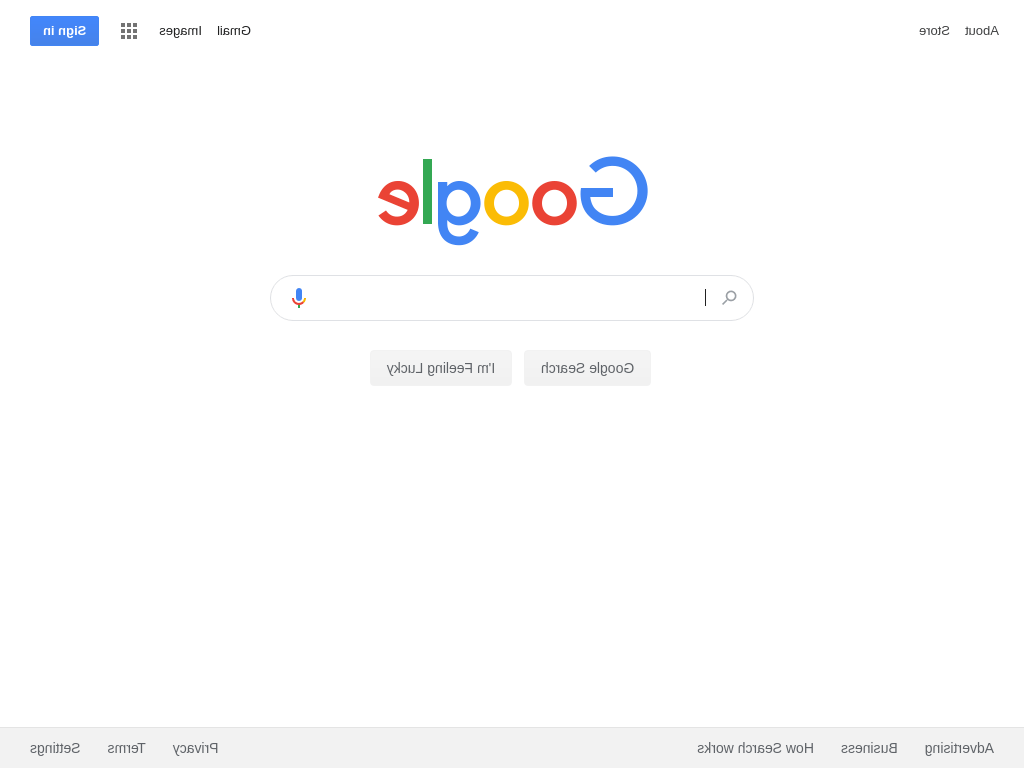
Flip Image Horizontally
Flipping an image horizontally can help in scenarios such as creating design variations, adjusting images for layout purposes, or presenting a mirrored view. The example below shows how to flip an image horizontally.
// Example API request to flip an image horizontally https://api.addscreenshots.com/screenshots
?apikey=YOUR_API_KEY
&flip_horizontal=true
&url=google.com
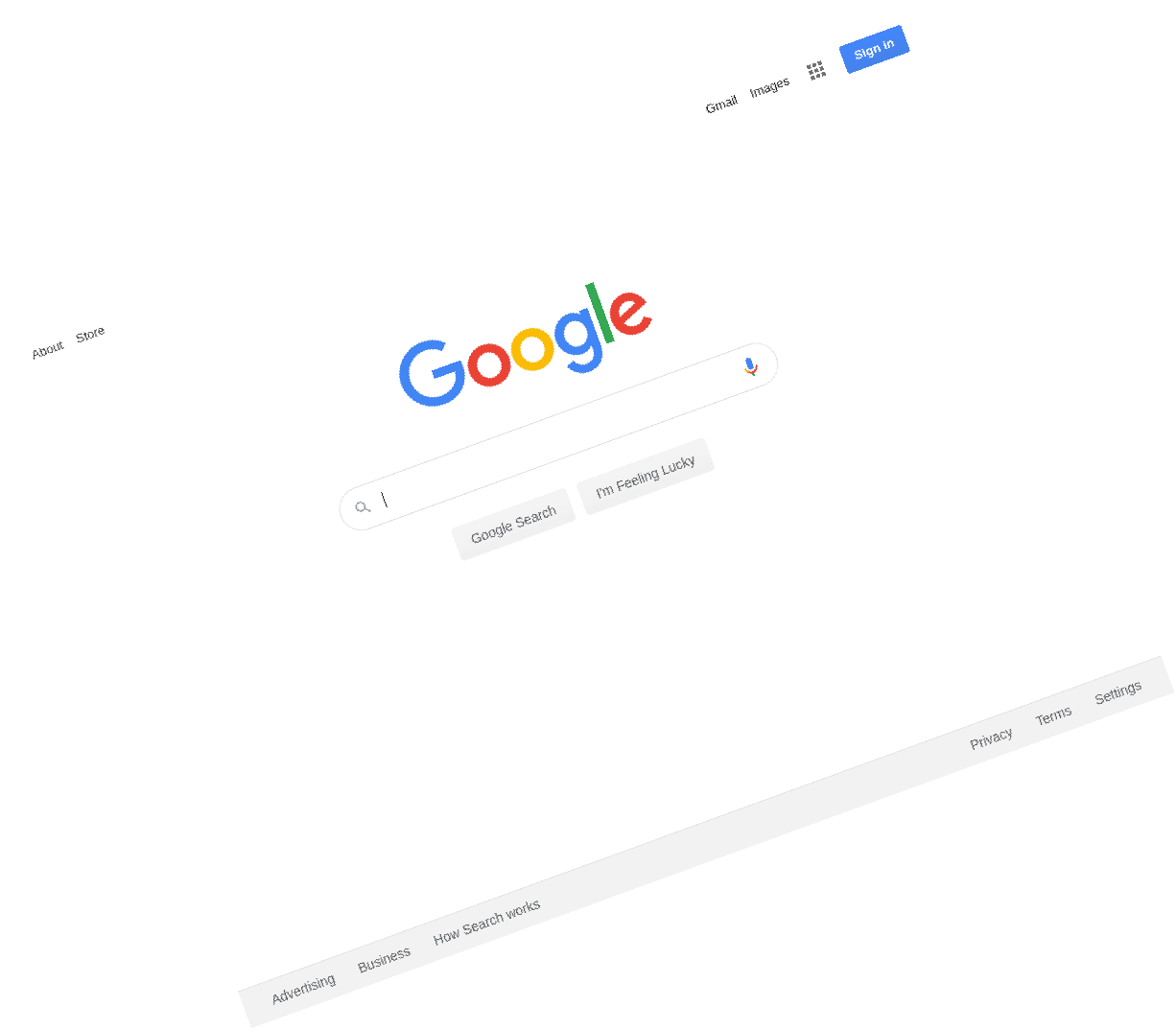
Rotate Image
Rotating an image allows you to adjust the angle of your screenshot, which can be useful for presentations, design mockups, or correcting the alignment of visual content. The example below illustrates how to rotate an image by 20 degrees.
// Example API request to rotate an image by 20 degrees https://api.addscreenshots.com/screenshots
?apikey=YOUR_API_KEY
&rotate=20
&url=google.com
Your API key can be found on the API Keys page. Need an API Key? Sign up to get started.
For internal applications, replace YOUR_API_KEY with your own unique API Key.
For public facing websites or hotlinks, generate a signed URL.
Start Rotating and Flipping Screenshots
Frequently asked questions
How do I flip a screenshot vertically or horizontally?
Add &flip_vertical=true or &flip_horizontal=true to your Add Screenshots request to mirror the image before delivery.
Can I rotate a screenshot to any angle?
Yes. Use &rotate=DEGREES (for example 90 or -45) to rotate the image before it is saved or emailed.
Do rotation and flip options work with other Add Screenshots features?
Orientation controls work alongside scaling, cropping, templates, schedules, and cloud delivery with no throttling.